
Support tickets
Tickets are support cases. Open Support → Tickets. Cases are linked to a partner and a person at that partner. An end customer can stay without a partner until someone assigns one.
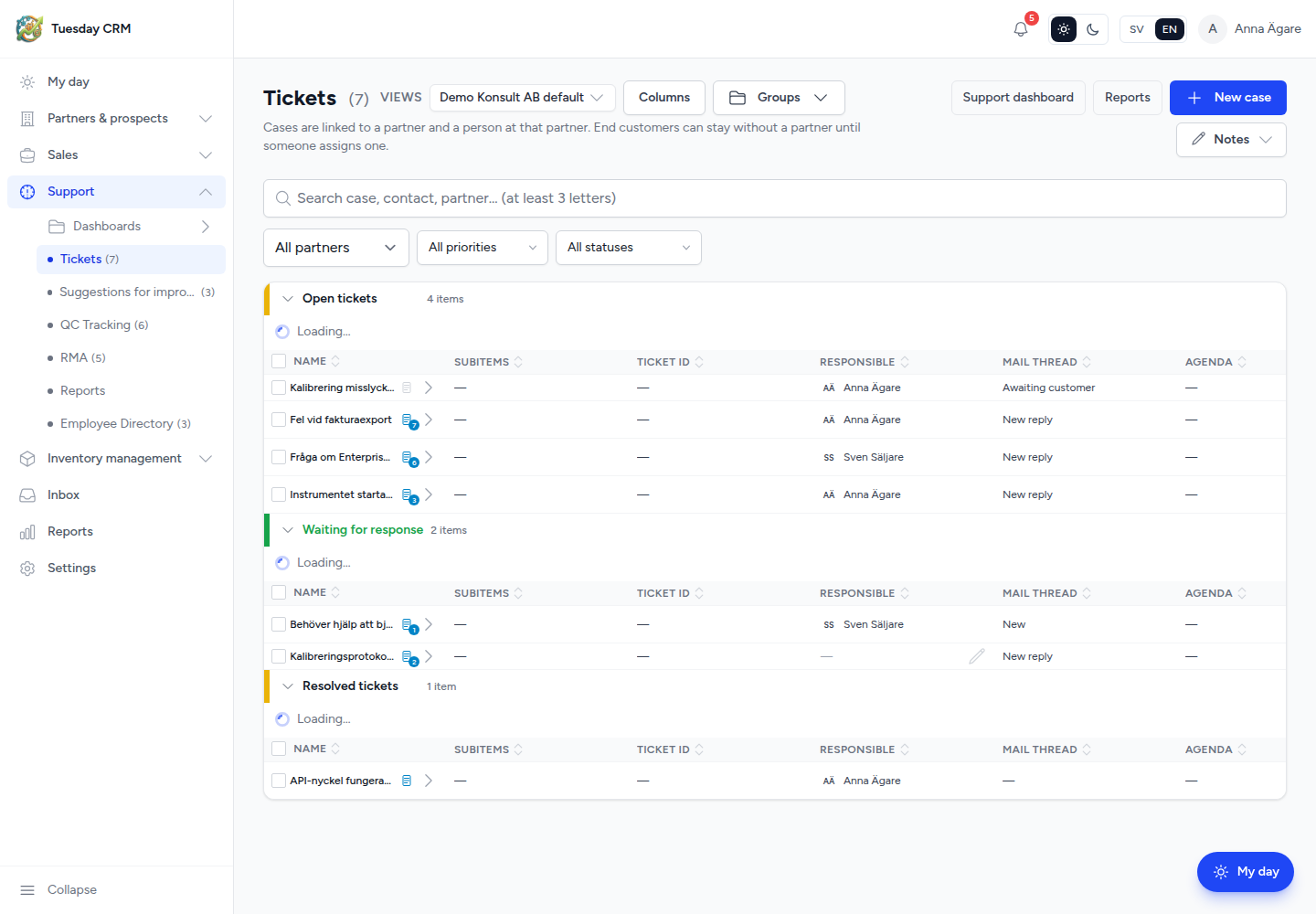
The list uses the same Views, Columns, Groups, and filters as other tables. Typical filters: partner, priority, status, and search.
Create a ticket
- Click New case.
- Set the subject, partner, contact, priority, and the support fields your company uses.
- Save. The case appears in a group; status chips on the list show where it is.
Tickets can also arrive from:
- The helpdesk mailbox in Inbox (a connected mailbox that creates cases)
- The public partner support form (no login)
When those channels are used, Tuesday can send an automatic “ticket received” email. Turn that on in Settings → Support.
Open a ticket
Click the subject.
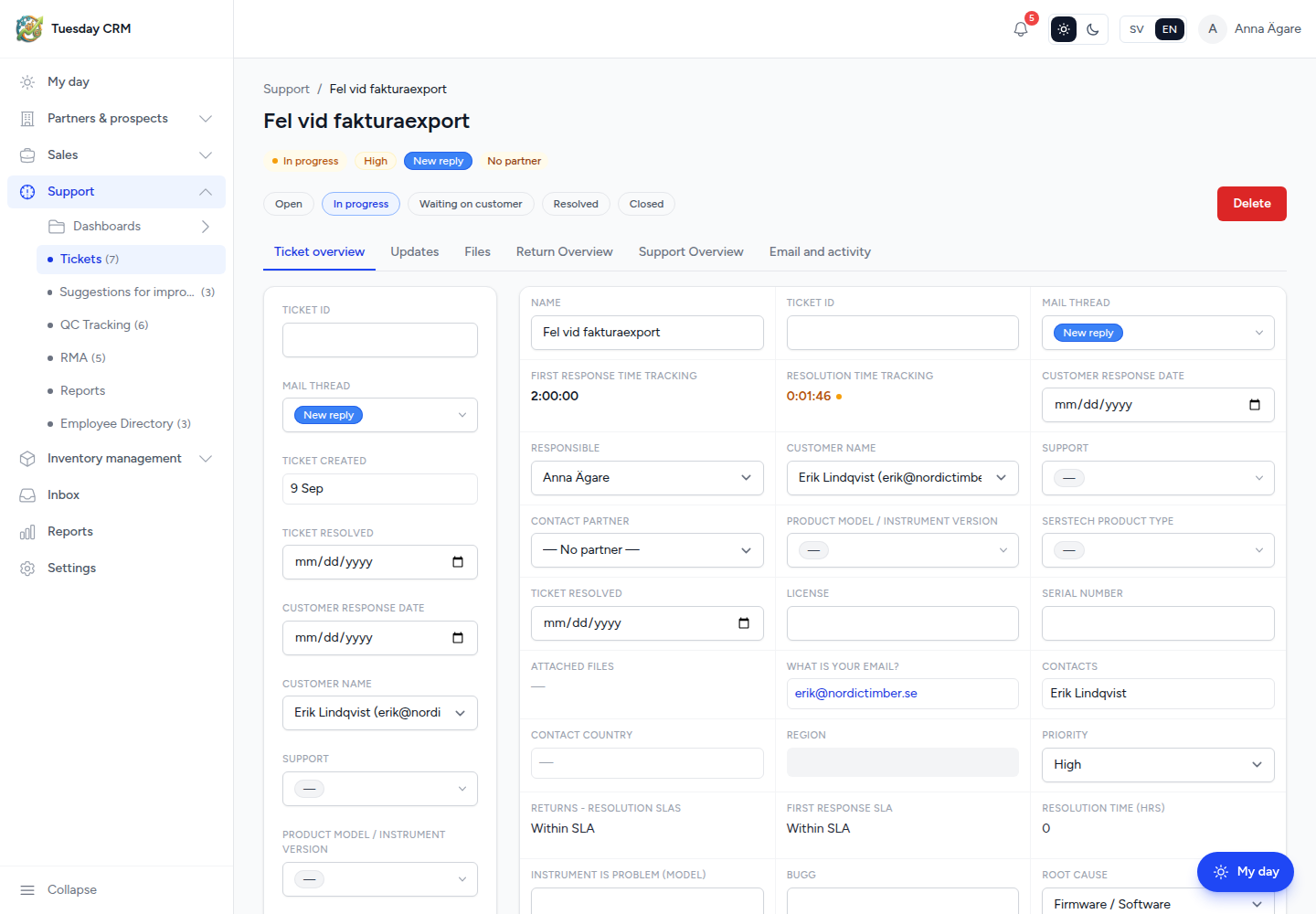
At the top you see status and priority. If no partner is linked yet, an amber No partner yet chip appears. Status buttons on the detail page change the case without going back to the list.
Tabs
| Tab | What you do |
|---|---|
| Ticket overview | Summary, people, and key fields |
| Updates | Timeline — notes, mentions, progress |
| Files | Attachments on the case |
| Return Overview | Return / RMA-related information when it applies |
| Support Overview | Support-specific fields |
| Email and activity | Mail thread, reply, and activity |
Add an update when you work the case so the timeline stays the system of record. You can mention a teammate. If a helpdesk mailbox is connected, you can reply by email from the ticket.
If there are no updates yet, Tuesday prompts you to share progress, mention someone, or upload a file.
Status and assignment
Use the status chips (open, waiting, closed — your company’s labels) from the list or the detail page. Keep the partner and contact filled in so the next person can see who to call and which organization owns the relationship.
Deleting a ticket (when you have write access) is a deliberate action on the detail page — Tuesday asks you to confirm.
Related support screens
The Support folder also has dashboards, RMA, QC Tracking, suggestions, reports, and the employee directory. They are not covered in this version. The shared table chapter still applies to those lists.
Automatic customer emails: Settings → Support.
Next: Settings.