
Menu
Settings → Menu
Change what the left sidebar looks like — order, folders, names, and which items you keep visible.
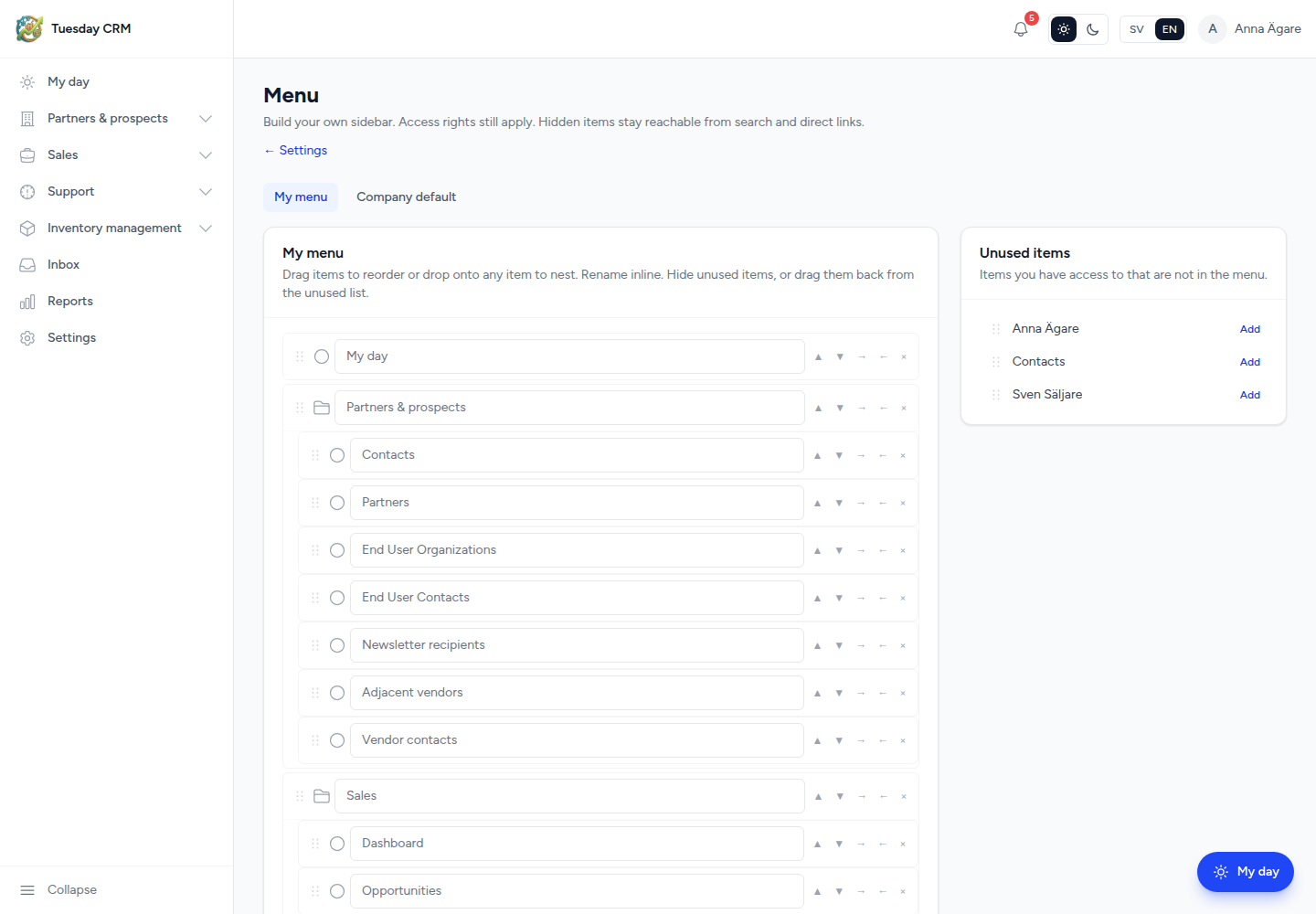
Build your own sidebar. Access rights still apply. Hidden items stay reachable from search and direct links.
Who can open this
Internal roles that can open Settings (Sales and up by default).
Two scopes:
| Tab | Who | What it changes |
|---|---|---|
| My menu | You | Only your sidebar |
| Company default | CEO / Administrator | The starting sidebar for people who have not customized (and the target of Reset to company default) |
If you are not an admin, you only see My menu.
Edit the tree
The main card is the current menu. Help in the UI: Drag items to reorder or drop onto any item to nest. Rename inline. Hide unused items, or drag them back from the unused list.
- Drag — reorder, or drop onto another item to nest. Maximum four levels.
- Rename — click the label and type (80 characters max). This changes the name in the menu, not the page title inside the module.
- Hide — removes the item from the tree. It appears under Unused items.
- Move up / Move down / nest / un-nest — keyboard-friendly alternatives to dragging.
- Add folder — creates a New folder you can rename and fill. Maximum 20 custom folders.
Each built-in item can appear only once. Folders you create are extra.
Unused items
The right-hand list is items you are allowed to use that are not in the tree. Drag one back, or use Add, to put it on the sidebar again.
If the list is empty: Every available item is already in the menu.
Hiding Opportunities does not hide the sales module from someone who still has a link. It also does not grant Inventory to a Partner. Module access is set on Users.
Save and reset
- Click Save. You should see Menu saved.
- Reset to company default (on My menu) replaces your tree with the company default, or the built-in sidebar if there is no company default. Tuesday asks you to confirm.
- Reset to built-in menu (on Company default) restores the factory sidebar for the whole company. Confirm before you click.
If you leave with unsaved drags, the editor warns you.
← Settings