
Activities
Sales → Activities lists your sales and marketing activities: Exhibitions, demos, trainings, and other sales activities. Use it to plan which events you attend, who goes, what it costs, and which partners, customers, and opportunities each activity relates to.
These are planned events. Calls, meetings, and notes about a single contact are logged on the contact's Updates tab instead (see Partners & prospects).
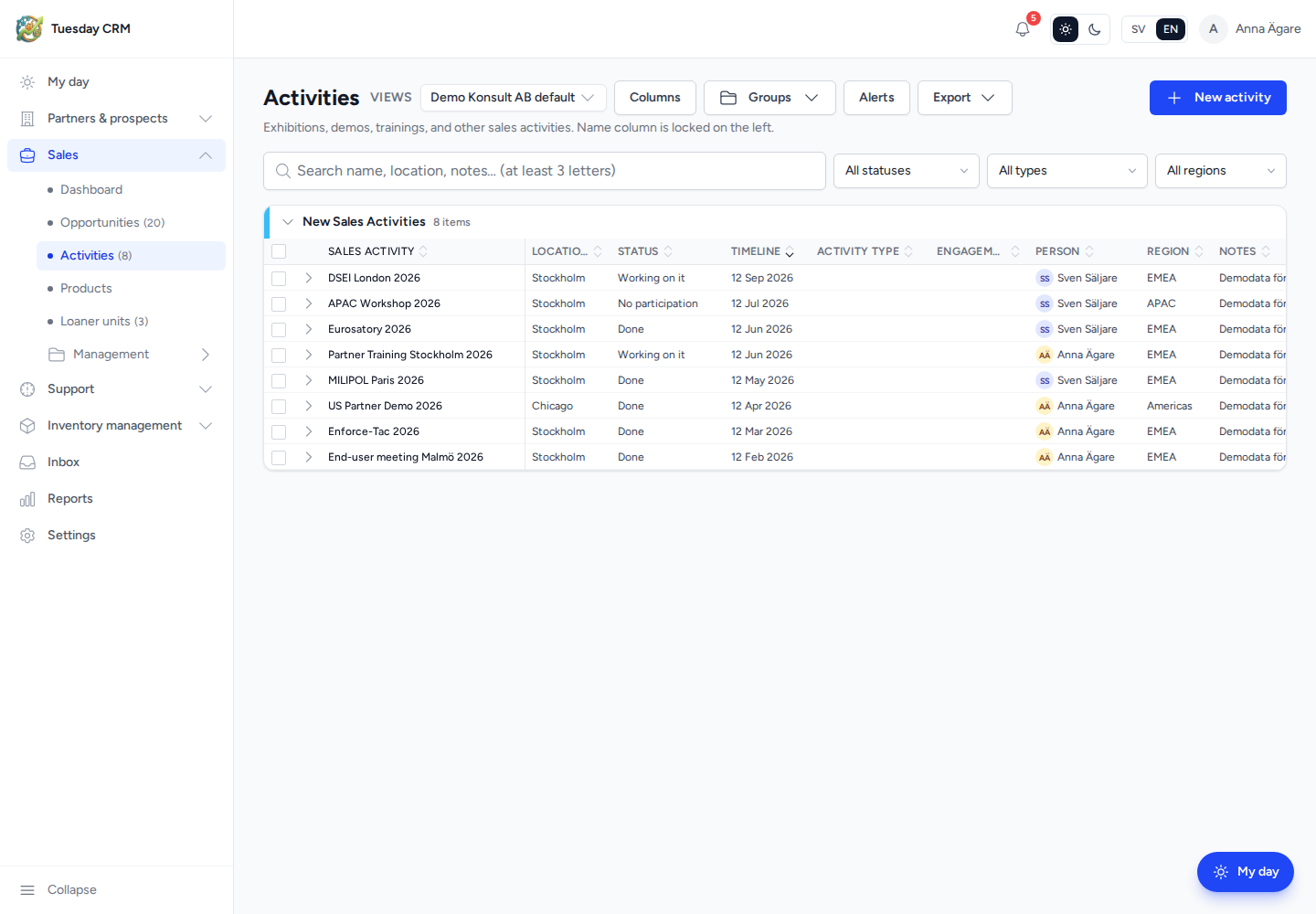
The list
The page uses the shared table (see Tables, views, and groups). The Sales activity (name) column is locked on the left.
Filters: search (Search name, location, notes…), All statuses, All types, and All regions.
Columns:
| Column | Meaning |
|---|---|
| Sales activity | The name of the event, for example Eurosatory 2026 |
| Location | City or venue |
| Status | Working on it, Done, or No participation |
| Timeline | Start and end date. Sorting on this column puts the activities in date order. |
| Activity type | The kind of activity (see below) |
| Engagement | How you take part (see below) |
| Person | The person in your company responsible |
| Region | EMEA, APAC, or Americas |
| Notes | Free text |
| Partners | Partners taking part |
| Link | The event website. Click Open link to visit it. |
| Cost (€) | What the activity costs |
| Segment | Market segments |
| End customer contact, Customer | End-user contact and organization involved |
| Opportunity | A linked opportunity |
| Updates | The number of updates logged on the activity |
| Group | The board group |
Activity type is one of: Exhibition, Workshop, Conference, Congress, Presentation, Demo, Partner training, End user meeting, or End-user training.
Engagement is one of: Attend expo, Partner exhibit, Exhibit, TBD, Speaking opportunity, Customer visit, Partner training, or Not attend or exhibit.
Create or edit an activity
Click New activity, or › on a row.
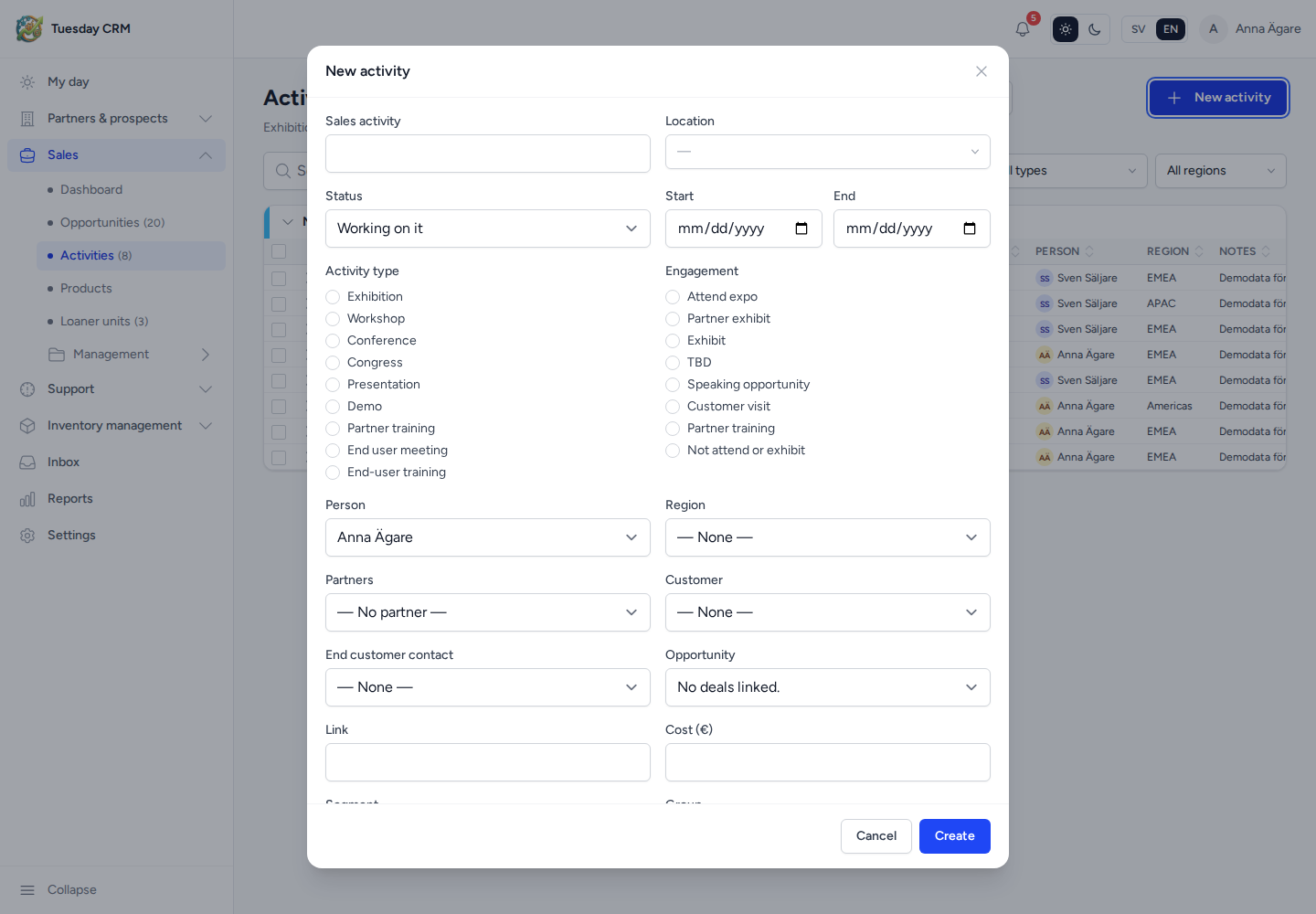
- Enter the Sales activity name and choose a Location.
- Set the Status and the Start and End dates.
- Choose the Activity type and the Engagement.
- Choose the Person responsible and the Region.
- Link the activity: Partners, Customer, End customer contact, and Opportunity.
- Add a Link to the event page, the Cost (€), the Segment (tick one or more), the Group, and any Notes.
- Click Create (for a new activity) or Save.
The activity editor is a single page without tabs. When updates have been logged against an activity (for example tasks connected to it from My day), they are listed under Updates at the bottom of the editor, with date, author, and text.
Where activities show up
- On the partner's 360 tab under Events / expos, and as Upcoming expo in its key figures (see Partners).
- In the Activities widget on the Management dashboards.
- As a data source in the Report Generator.
- As a connection on tasks in My day (Choose activity…).
Next: Products.