
Loaner units
Sales → Loaner units keeps track of the instruments in your loaner pool: Serial numbers in the loaner pool, linked to partners. Use it to see which demo and loan instruments exist, who has them, and when they are due back.
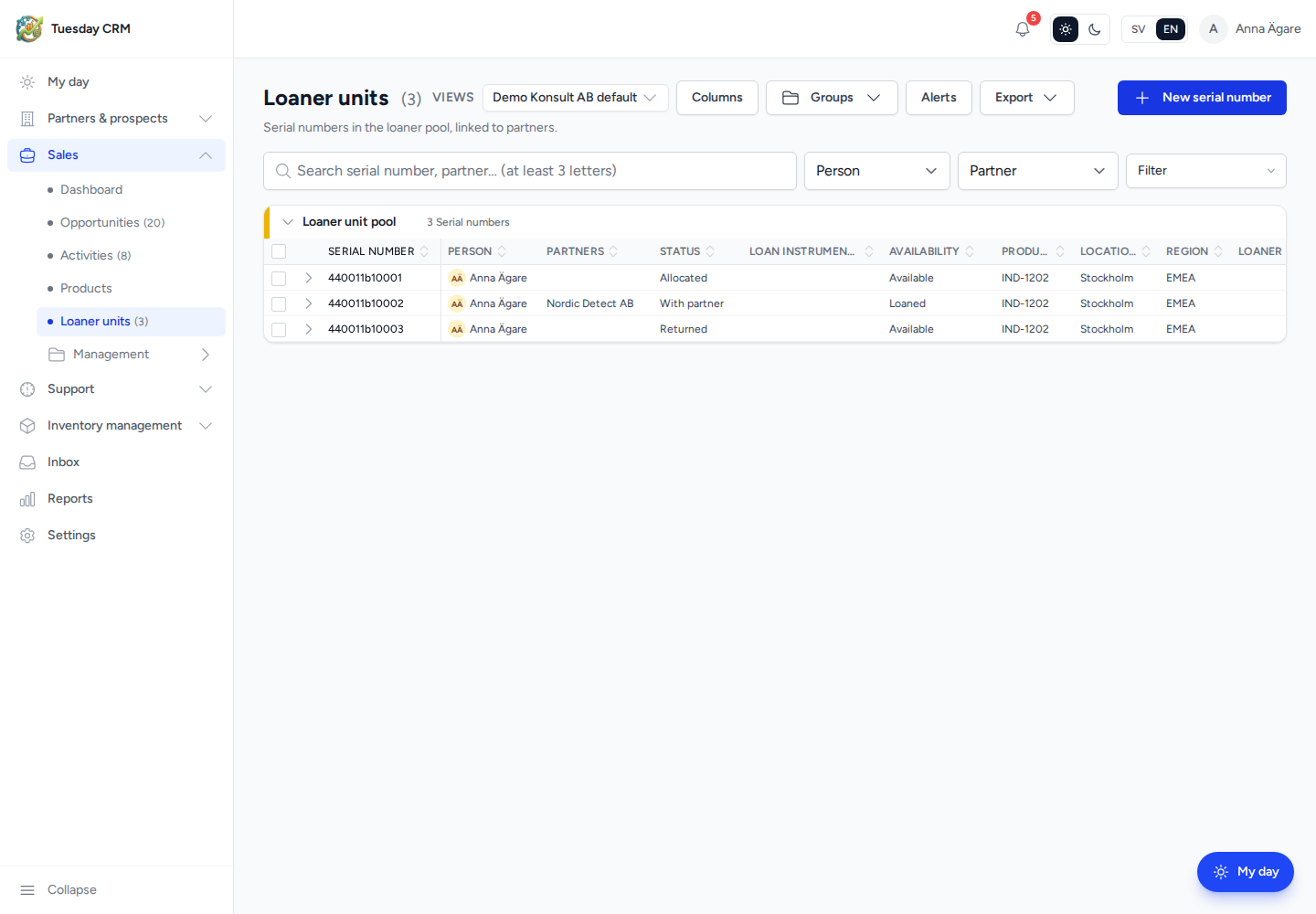
The list
All units are in the Loaner unit pool group. The page uses the shared table controls (see Tables, views, and groups).
Filters:
- Search (Search serial number, partner…) from 3 letters.
- Person: units handled by one person in your company.
- Partner: units with one partner.
- Filter: units with one status.
Columns:
| Column | Meaning |
|---|---|
| Serial number | The instrument's serial number. Locked on the left. Must be unique in your company. |
| Person | The person in your company responsible for the unit |
| Partners | The partner that has the unit |
| Status | Where the unit is: With partner, Sold, Allocated, Returned, or With Serstech |
| Loan instruments | Free text about what is lent (for example accessories that go with it) |
| Availability | Available or Loaned |
| Product | The product model |
| Location | Where the unit is kept |
| Region | EMEA, APAC, or Americas |
| Loaner start / Loaner return | When the current loan started and when the unit should be back |
| Notes | Free text |
| Partner specific serial number | The partner's own number for the unit, if they use one. Must be unique per partner. |
Add or edit a unit
Click New serial number, or › on a row.
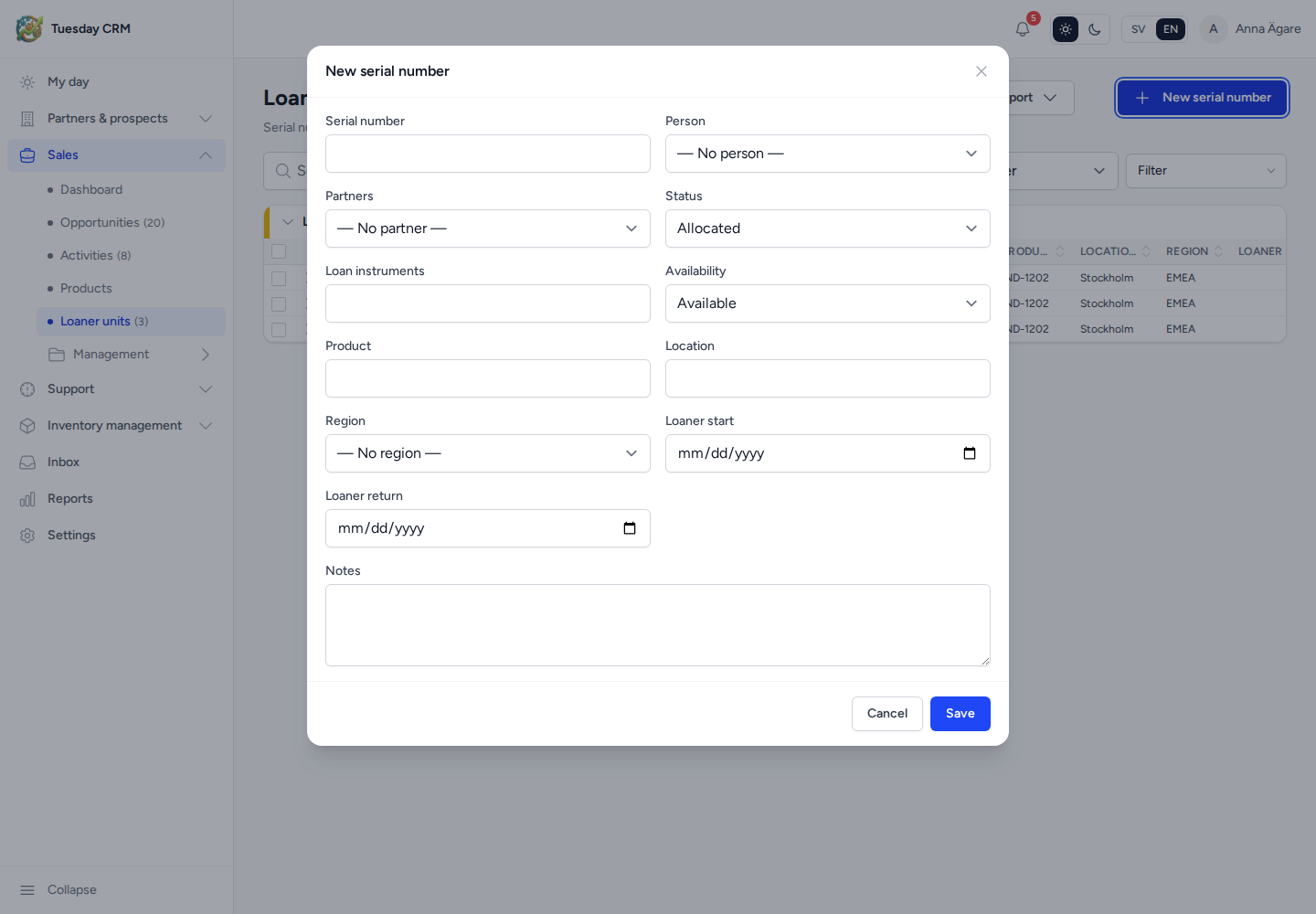
Fill in Serial number, Person, Partners, Status, Loan instruments, Availability, Product, Location, Region, Loaner start, Loaner return, and Notes, then click Save.
Typical workflow
- Lend a unit: set Partners to the partner, Status to With partner, Availability to Loaned, and fill in Loaner start and Loaner return.
- Get it back: set Status to Returned and Availability to Available, and clear the partner.
- Sell it: set Status to Sold. Register the sale on the Sold board under Inventory management.
Sort on Loaner return to see which units are due back first.
Next: Management.