
Employee directory
Support → Employee Directory is a simple staff list — Staff directory. — with each person's department, location, email, and phone. Use it to find the right colleague for a case, for example the QC engineer in Cluj or the support person in Sweden.
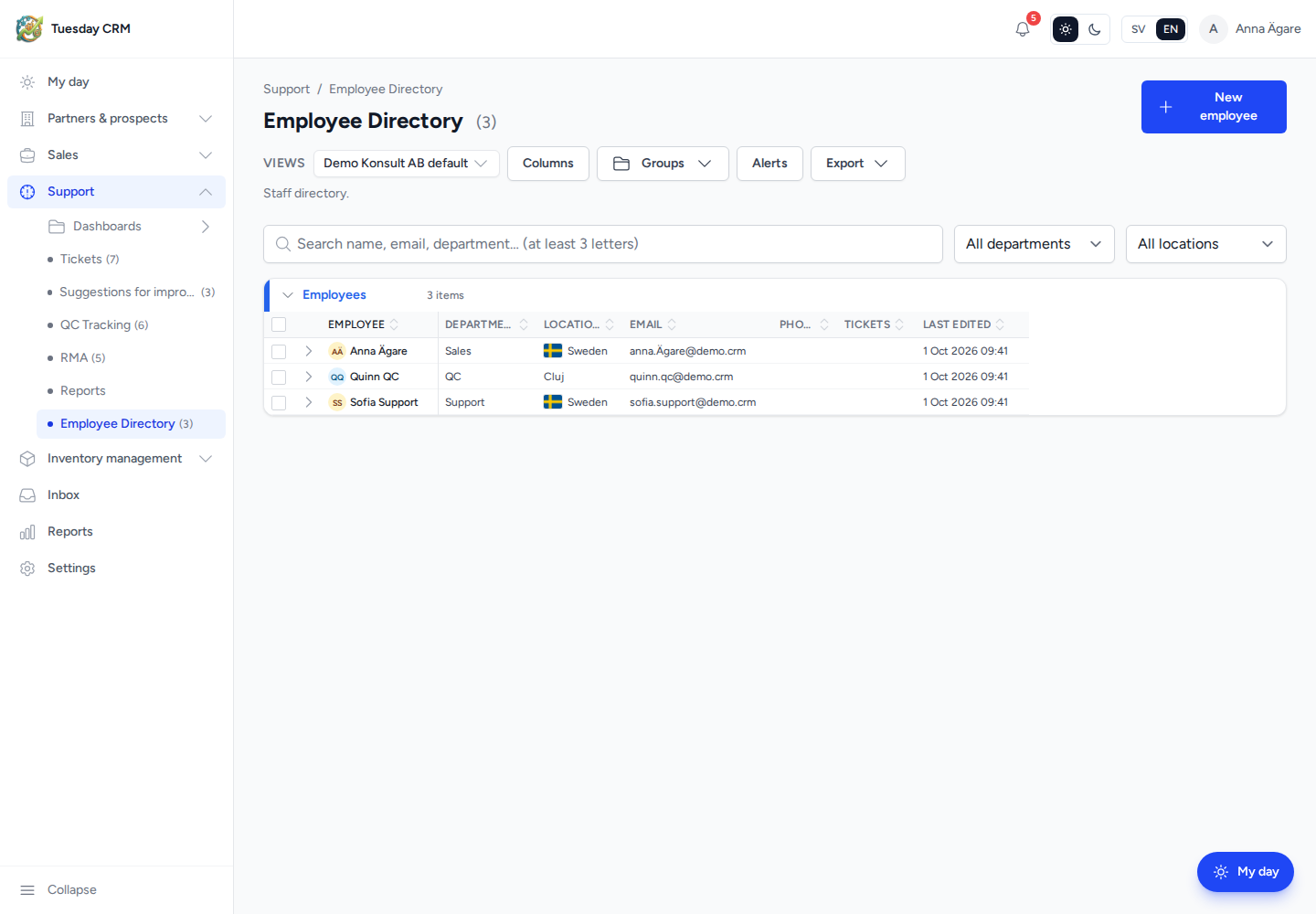
The directory is separate from the Tuesday user list. People in it do not need a Tuesday login, and adding someone here does not give them access. Users who log in to Tuesday are managed under Settings → Users.
The page uses the shared table controls — Views, Columns, Groups, Alerts, Export, double-click editing, and the selection bar. See Tables, views, and groups.
Search and filters
- Search — Search name, email, department… (at least 3 letters).
- All departments — show one department.
- All locations — show one location.
Clicking a department or a location in the table filters the list the same way; remove the filter with × on the chip above the table.
Columns
| Column | Meaning |
|---|---|
| Employee | The person's name, with initials. Click it to open the editor. |
| Department | For example Sales, QC, or Support. |
| Location | Office or country, shown with a flag when it is a country. |
| Work email address. | |
| Phone | Work phone. |
| Tickets | Support cases connected to the person in the imported support board. Read-only. |
| Last edited | When the row was last changed. |
Adding and editing
Click + New employee, or click a name to open the editor. The fields are Employee (required), Department, Location, Email, and Phone. Department and Location are pick lists of the values already in use, so everyone spells them the same way. Tickets is shown but cannot be changed. Click Save.
The editor also has Updates and Files tabs, for notes and documents about the person — for example training certificates.
Group the directory with Groups — by team, office, or anything else — and move people between groups with Move in the selection bar.
Next: Partner support form.