
Inventory management
The Inventory management folder keeps track of every instrument by serial number. It has four lists, one for each place an instrument can be:
| List | What it holds | New-item button |
|---|---|---|
| Sold | Instruments sold and shipped to partners and end users. | + New sale |
| Loan | The loan pool: instruments that can be lent out, are out on loan, or are waiting for QC. | + New serial number |
| Internal | Instruments used inside the company — R&D, QA, sales demos, QC. | + New serial number |
| Instrument inventory | Finished instruments in stock, ready to sell. | + New serial number |
The number after each name in the sidebar is the number of serial numbers in that list. Serial numbers grouped like the source board.
All four lists use the shared table controls — Views, Columns, Groups, Alerts, Export, double-click editing, and the selection bar. See Tables, views, and groups.
Search and filters
- Search — Search serial number, partner, version… (at least 3 letters). Partner-specific serial numbers are found too.
- Version — show one instrument version.
- Status — show one status.
Clicking a group name, a version, or a status in the table filters the list the same way; remove the filter with × on the chip above the table.
Sold
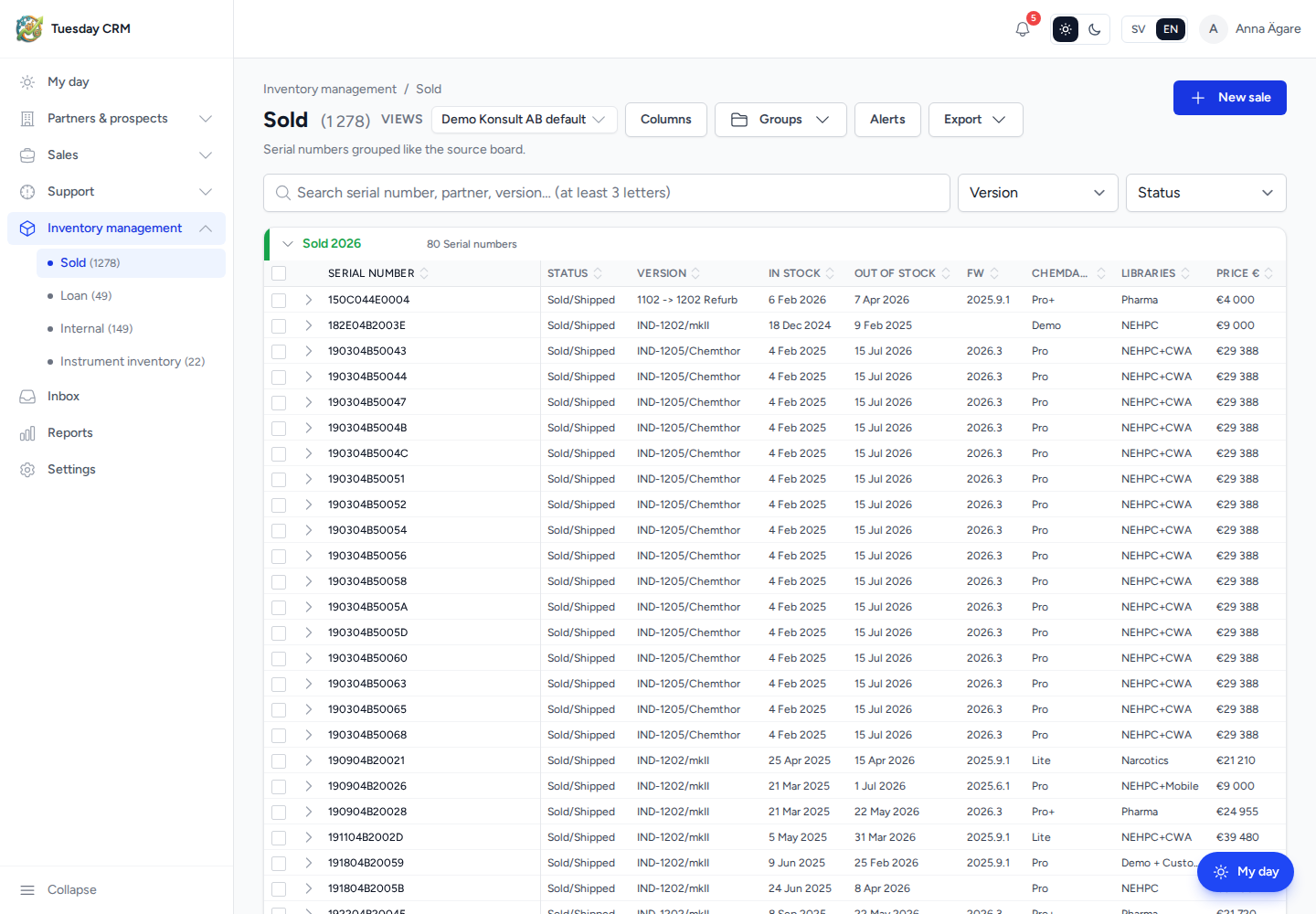
Groups: Sold 2026, Sold 2025, Sold 2024, Sold 2023, Sold 2022, Sold 2021, Sold 2020 - 2018, and Unknown status.
| Column | Meaning |
|---|---|
| Serial number | The instrument. Click it to open the editor. |
| Subitems | Accessories or parts that belong to the unit. |
| Status | For example Sold/Shipped. A label column (see Labels below). |
| Version | Model and version, for example IND-1205/Chemthor or 1102 -> 1202 Refurb. A label column. |
| In stock / Out of stock | When the unit came into stock and when it was shipped. |
| FW | Firmware version. |
| ChemDash | ChemDash license level, for example Pro, Pro+, Lite, Demo. |
| Libraries | Installed substance libraries, for example NEHPC, Pharma, Narcotics. |
| Price € | Sales price. |
| Partner, End user, Billing country, Shipped to | Who bought it and where it went. |
| OC | The order confirmation. |
| Account owner | The salesperson. |
| RMA serial number, RMA number, RMA created | Return information if the unit has come back. |
| OEM, Warranty | OEM details and warranty terms. |
| Last date of warranty | Calculated: five years after Out of stock (the ship date), unless a different date was entered. Read-only in the editor. |
| Tracking, AWB & files, Shipping inv. & Packing list | Shipping documents and tracking numbers. |
| Peak value | The peak value recorded for the unit. |
| Partner specific serial number | The partner's own number for the unit. |
Loan
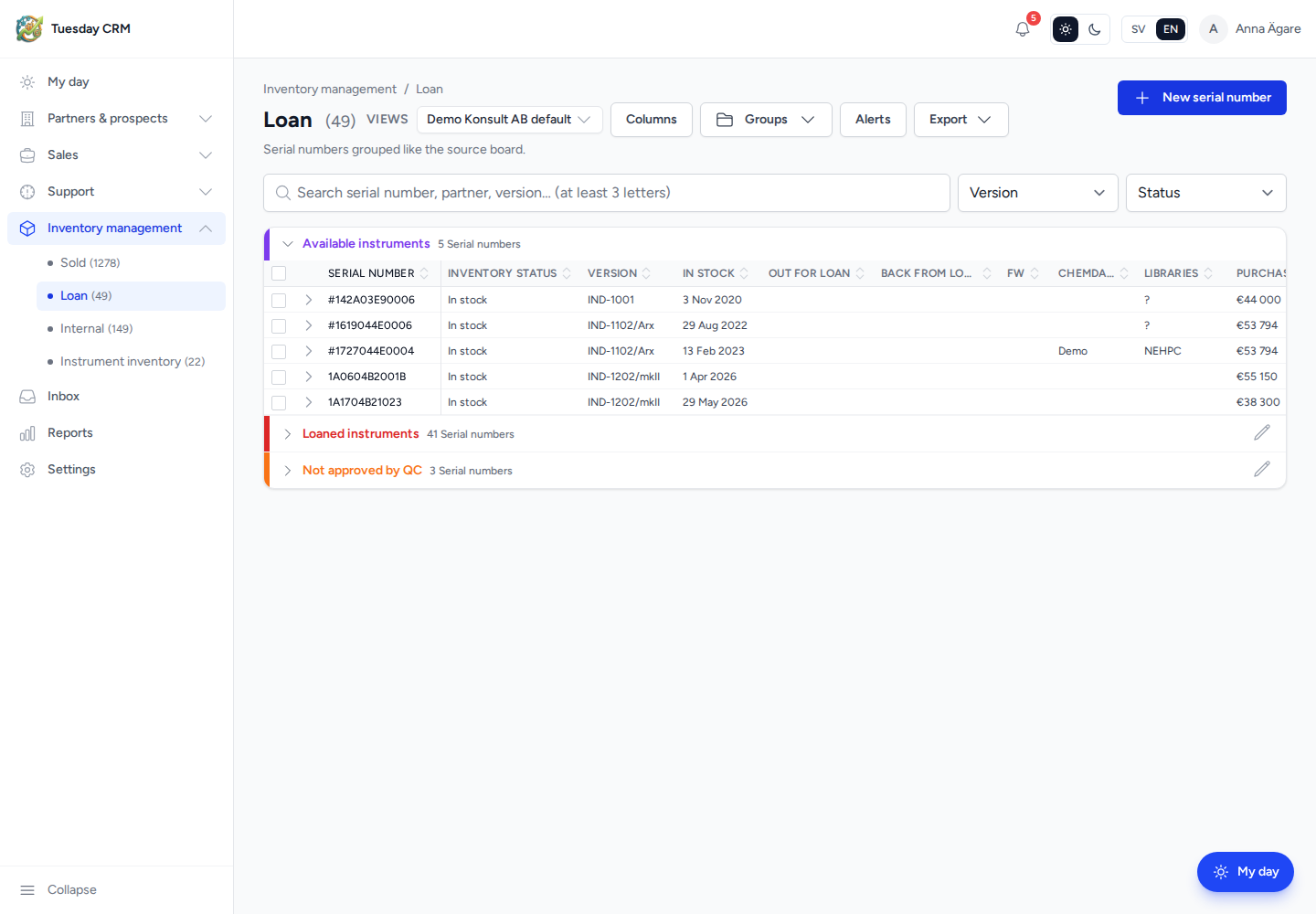
Groups: Available instruments, Loaned instruments, and Not approved by QC.
Columns: Serial number, Inventory status (for example In stock), Version, Purchase price €, Classification AO (the asset classification), Loan status, QC status/Location, Responsible, Location, Subitems, In stock, Out for loan, Back from loan, Libraries, ChemDash, FW, AWB & files, the RMA columns, Peak value, and Info.
When you lend a unit, set Out for loan and move it to Loaned instruments. When it comes back, set Back from loan and move it to Available instruments — or to Not approved by QC if it needs a check first. For loans to partners that you follow up in sales, see also Loaner units.
Internal
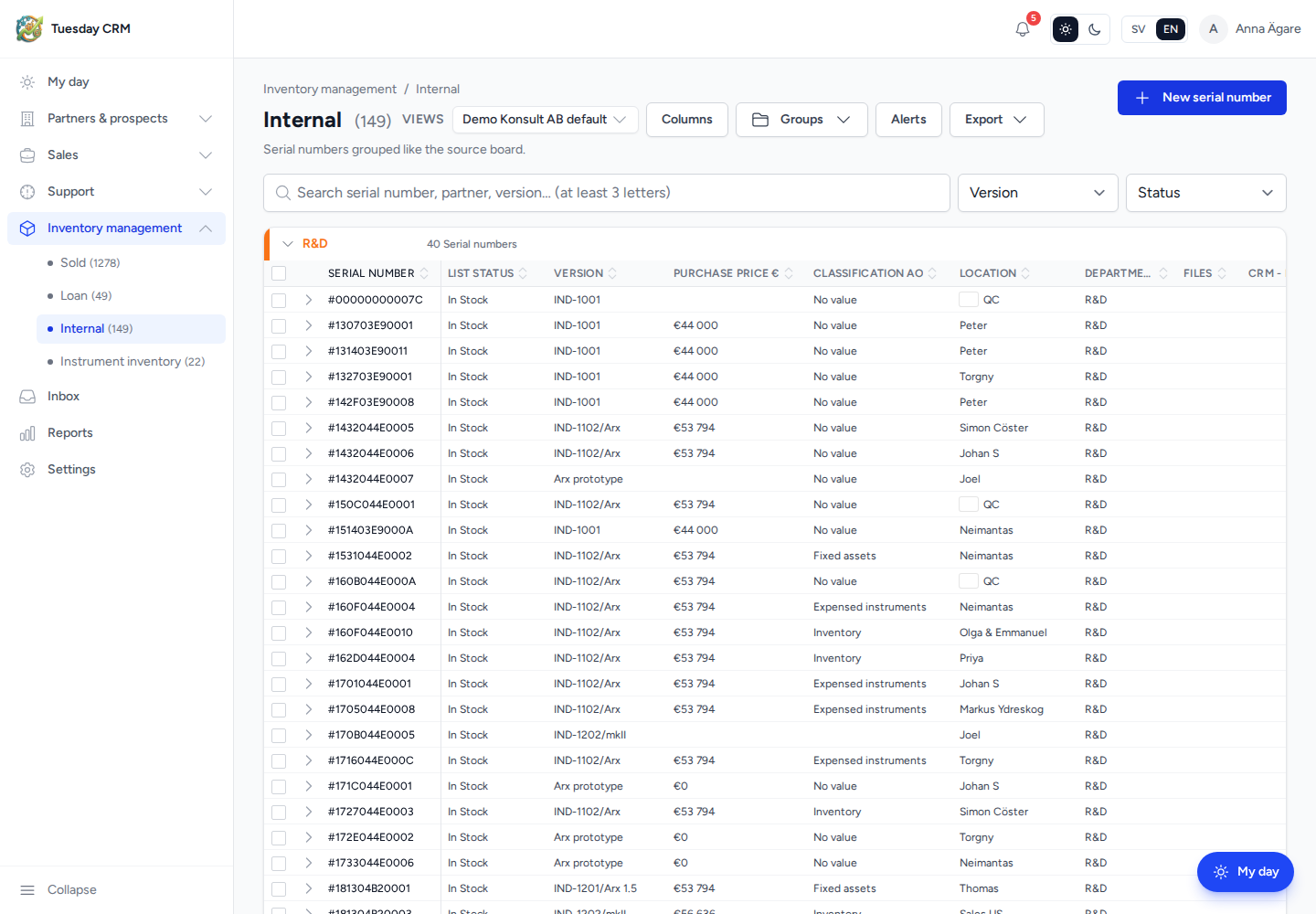
Groups: R&D, QA, Sales, Available, QC, Not approved by QC, and MISSING INSTRUMENTS.
Columns: Serial number, List Status (for example In Stock), Version, Purchase price €, Classification AO (for example Fixed assets, Expensed instruments, Inventory), Department, and Location (often the person who has the unit).
Use MISSING INSTRUMENTS for units that cannot be found during a stock count, so they are not forgotten.
Instrument inventory
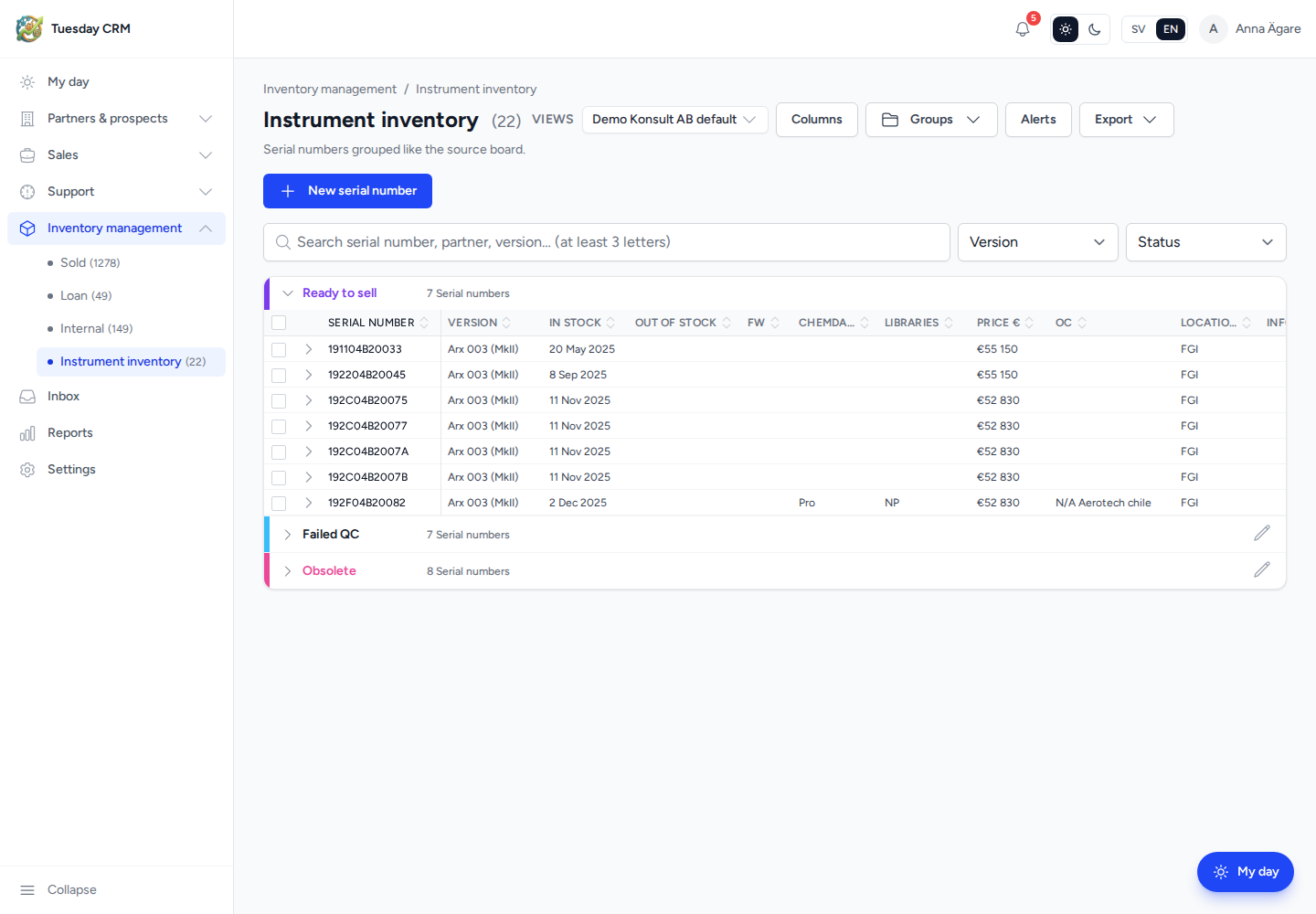
Groups: Ready to sell, Failed QC, and Obsolete.
Columns: Serial number, Version, In stock, Location (for example the warehouse), Price €, FW, Libraries, ChemDash, OC, Info, and Out of stock.
When a unit is sold, add it to Sold with the same serial number, and move or remove it here.
Group summaries
When a group is collapsed, its header can show a summary of the rows inside it — a colored bar for the share of each status, the date range of a date column, or the sum of a number column such as Price €. Click the pencil on a collapsed group header (Choose group summary) and tick the Statuses and Variables you want to see. Choose which fields to summarize on collapsed groups.
Labels
Some columns are label columns: their values are colored labels that belong to the company and the list. They are:
| List | Label columns |
|---|---|
| Sold | Status, Version |
| Loan | Inventory status, Version, Classification AO, Loan status, QC status/Location |
| Internal | List Status, Version, Classification AO, Department |
| Instrument inventory | Version, Location |
Double-click a label cell to pick a label from Labels, or Clear it. Edit labels opens a panel where you rename labels, change their color, delete them, or add a new one with Add. These labels belong to this company and board. Rows using a deleted label get an empty value.
Date cells open a small calendar with Today, Previous month, Next month, and Clear.
The inventory editor
Click a serial number, or the new-item button, to open Inventory Management. It has the tabs Updates, Details, and Files.
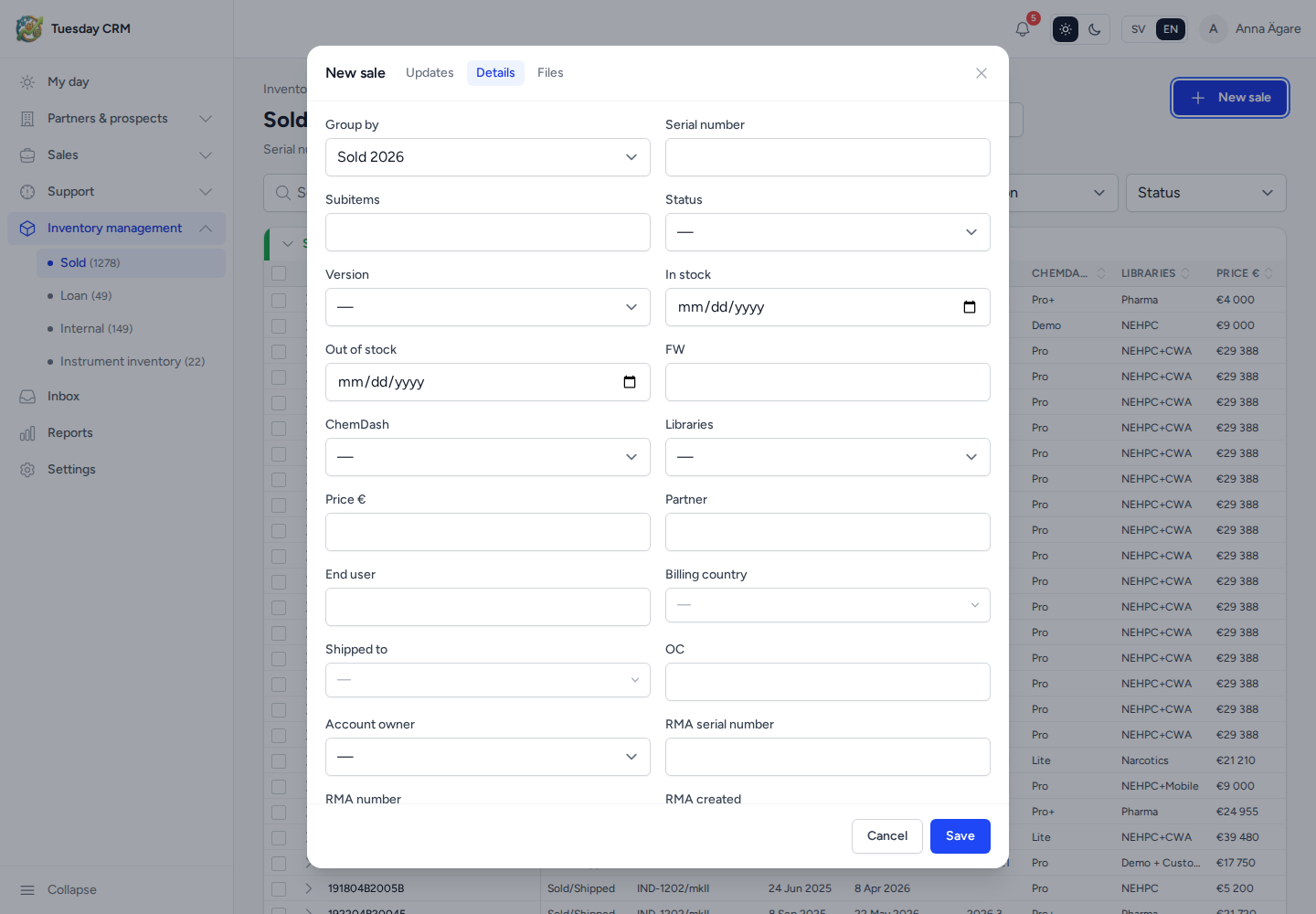
Details starts with Group by — the group the unit belongs to — followed by every column of the list. Some fields help you fill them in consistently:
- Libraries, ChemDash, and Account owner are pick lists.
- Billing country and Shipped to are country pickers.
- Label columns offer the list's labels.
- Last date of warranty and Last edited are calculated and read-only.
- Item ID (auto generated) is shown at the end and cannot be changed.
Click Save, or Cancel to close without saving. Use Updates for notes such as service history, and Files for test reports, invoices, and shipping documents.
Next: Inbox.