
Partner support form
The partner support form is a public web page where partners and end users report a product problem or request a return — without logging in to Tuesday. Every submission becomes a ticket; a return request also creates an RMA.
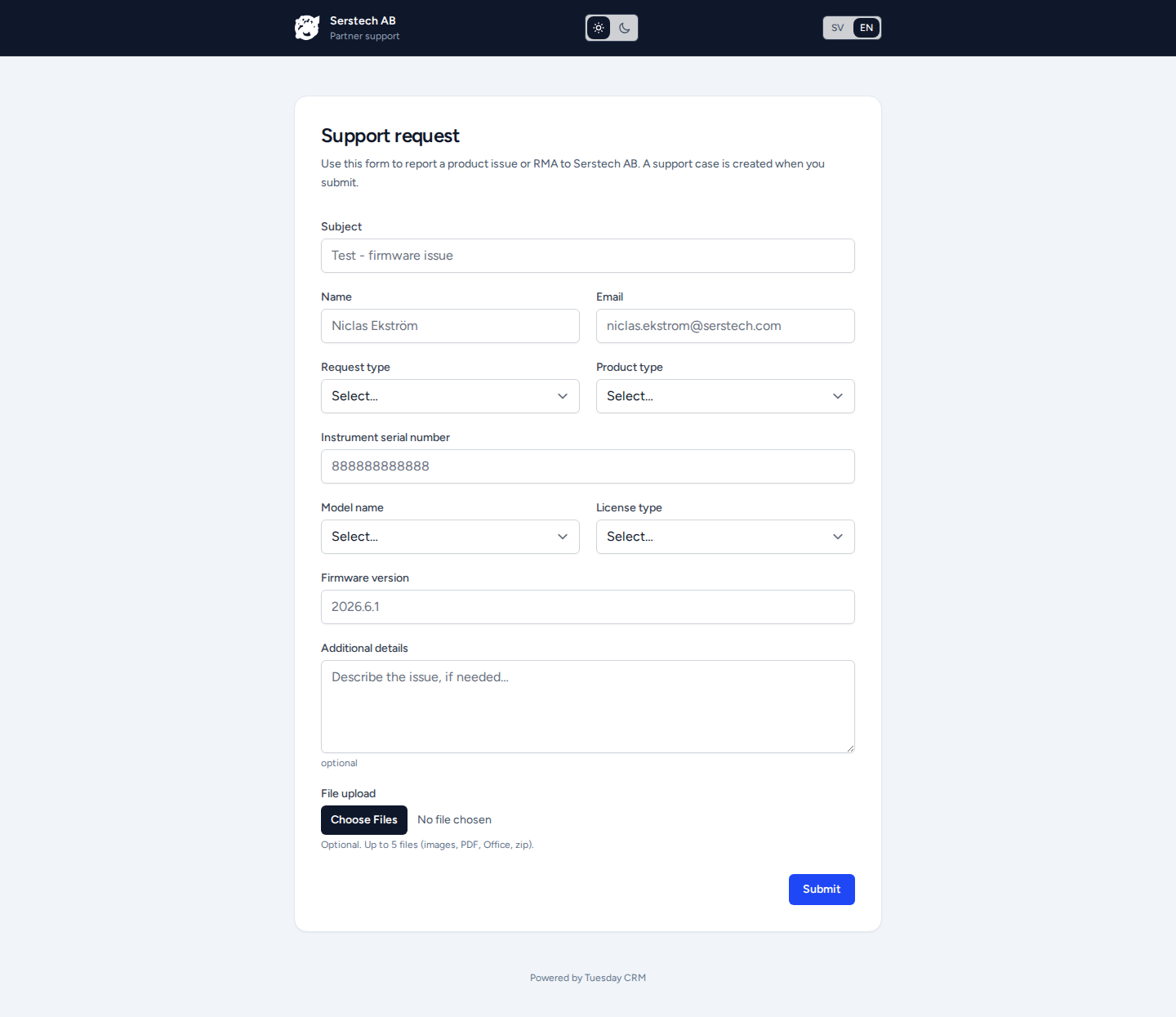
The address
Each company has its own form address, for example:
https://<your Tuesday address>/partner/support/serstech
The last part is your company's form name, set up by the Tuesday team when the form is switched on. Link to the address from your website or partner pages, or send it to partners by email. The page header shows your company name and logo, and visitors can switch between light and dark mode and between Swedish (SV) and English (EN).
What the visitor fills in
Use this form to report a product issue or RMA to Serstech AB. A support case is created when you submit.
| Field | Required | Choices |
|---|---|---|
| Subject | Yes | Free text, for example Test - firmware issue. |
| Name | Yes | |
| Yes | Used to find or create the contact in Tuesday, and for the reply. | |
| Request type | Yes | Serstech Product, Return/RMA, Other, Pre sales, DUBBLETT. |
| Product type | Yes | ChemDash, Instrument, Firmware, Accessory, Library, Other. |
| Instrument serial number | Yes | |
| Model name | Yes | Arx MkII / IND-1202, IND-1102/Arx, IND-1202/mkII, IND-1204, IND-1205/Chemthor, IND-1001, Other. |
| License type | Yes | Pro, Standard, Basic, Demo, N/A. |
| Firmware version | Yes | For example 2026.6.1. |
| Additional details | No | Describe the issue, if needed… |
| File upload | No | Up to 5 files (images, PDF, Office, zip). |
After Submit, the visitor sees Thank you — your request has been received with their Ticket number (and RMA number for a return), and can click Submit another request.
To stop abuse, one visitor can send only a few requests within ten minutes; after that the form says Too many requests. Please wait a few minutes and try again.
What happens in Tuesday
- Tuesday looks up the contact by email. If there is none, it creates one. If the contact belongs to a partner, the case is linked to that partner.
- A support case is created in Support → Tickets with:
- Ticket ID — the next number in the shared ticket number series;
- Status Open, Priority Normal, Channel web;
- Support set to the request type, and the product, model, serial number, license, and firmware version filled in from the form;
- Creation log Submitted via partner web form by Name .;
- the uploaded files on the case's Files tab.
- If Request type is Return/RMA, an RMA is also created in Open RMAs with type External, status Open, today's RMA created date, and the ticket in Link to Tickets. The RMA number is written on the ticket.
- If the "ticket received" email is turned on in Settings → Support, the visitor gets a confirmation email with the ticket number.
The new case has no Responsible yet. Check the Open tickets group regularly — sort it by Ticket created, or sort by Channel to find web cases — so new web cases are picked up quickly.
Next: Inventory management.