
Suggestions for improvement
Support → Suggestions for improvement collects ideas for making the product or the support process better — Suggestions for improvement from the Support board. Each row is one suggestion, with who suggested it, how urgent it is, what was decided, and whether it has been done.
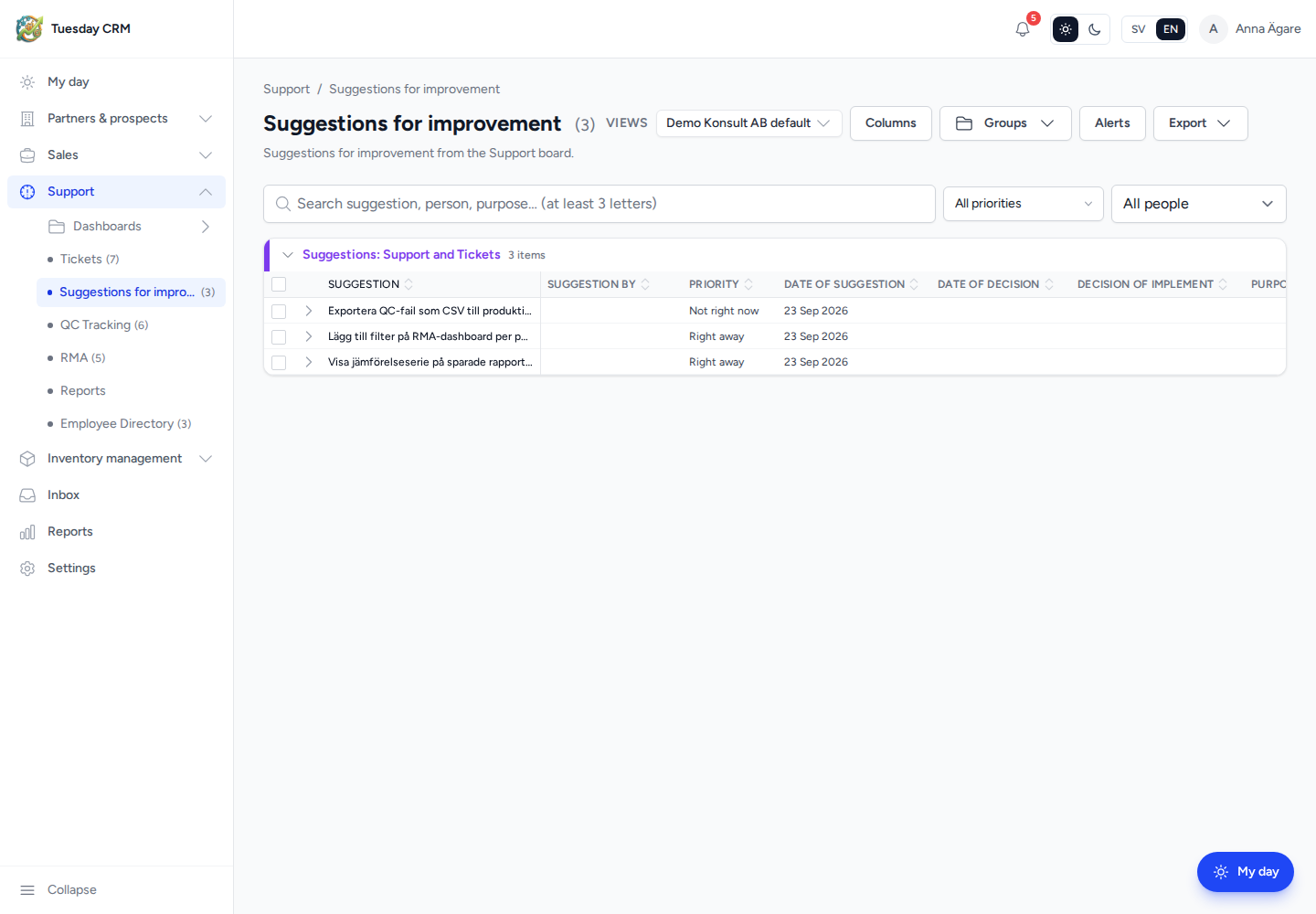
The page uses the shared table controls — Views, Columns, Groups, Alerts, Export, double-click editing, and the selection bar. See Tables, views, and groups.
Where suggestions come from
Suggestions are imported from your earlier support board with Settings → Import and verify data. The page has no New button; after the import, you work with the suggestions here — decide, follow up, and mark them done. If the list is empty it says No suggestions for improvement — Import the Suggestions for improvement board or add suggestions.
Search and filters
- Search — Search suggestion, person, purpose… (at least 3 letters).
- All priorities — Right away or Not right now.
- All people — show only suggestions from one person.
Clicking a priority, a person, or a group in the table also filters the list; remove the filter with × on the chip above the table.
Columns
| Column | Meaning |
|---|---|
| Suggestion | The idea itself. Click it to open the editor. |
| Suggestion By | The name of the person who suggested it. |
| Linked user | The Tuesday user who suggested it, if they have an account. |
| Priority | Right away or Not right now. |
| Date of suggestion | When the idea was raised. |
| Date of decision | When it was decided whether to do it. |
| Decision of implement | What was decided, for example Yes, No, or Later. |
| Purpose / Impact | Why it matters and what it would improve. |
| Notes on implementation | How it should be, or was, done. |
| Implemented / Done | The date it was finished. |
| Follow-Up | Who follows up, or when. |
| Follow-up Notes | What came out of the follow-up. |
Groups
Suggestions are grouped by board group, for example Suggestions: Support and Tickets. Use groups to split the ideas by area — product, support process, documentation. Create and rename groups with Groups → Edit groups, and move suggestions with Move in the selection bar or the Group field in the editor.
The suggestion editor
Click a suggestion to open Edit suggestion. It is a single page — no tabs — with every field from the table above plus Group. Changes are saved as you make them; Save closes the editor and confirms Suggestion saved. Suggestion is required.
A simple review routine
- Once a month, filter on Right away and sort by Date of suggestion.
- For each suggestion, fill in Date of decision and Decision of implement.
- When something is done, enter the Implemented / Done date and add a line to Follow-up Notes about the result.
- Move finished suggestions to a Done group so the open groups show only what is left.
Next: QC Tracking.