
Products
Sales → Products is your Product and service catalog with editable properties and standard BOM. Products are used as templates for the bill of materials (BOM) on opportunities, and support tickets and RMAs can be linked to a product so you can follow up per model.
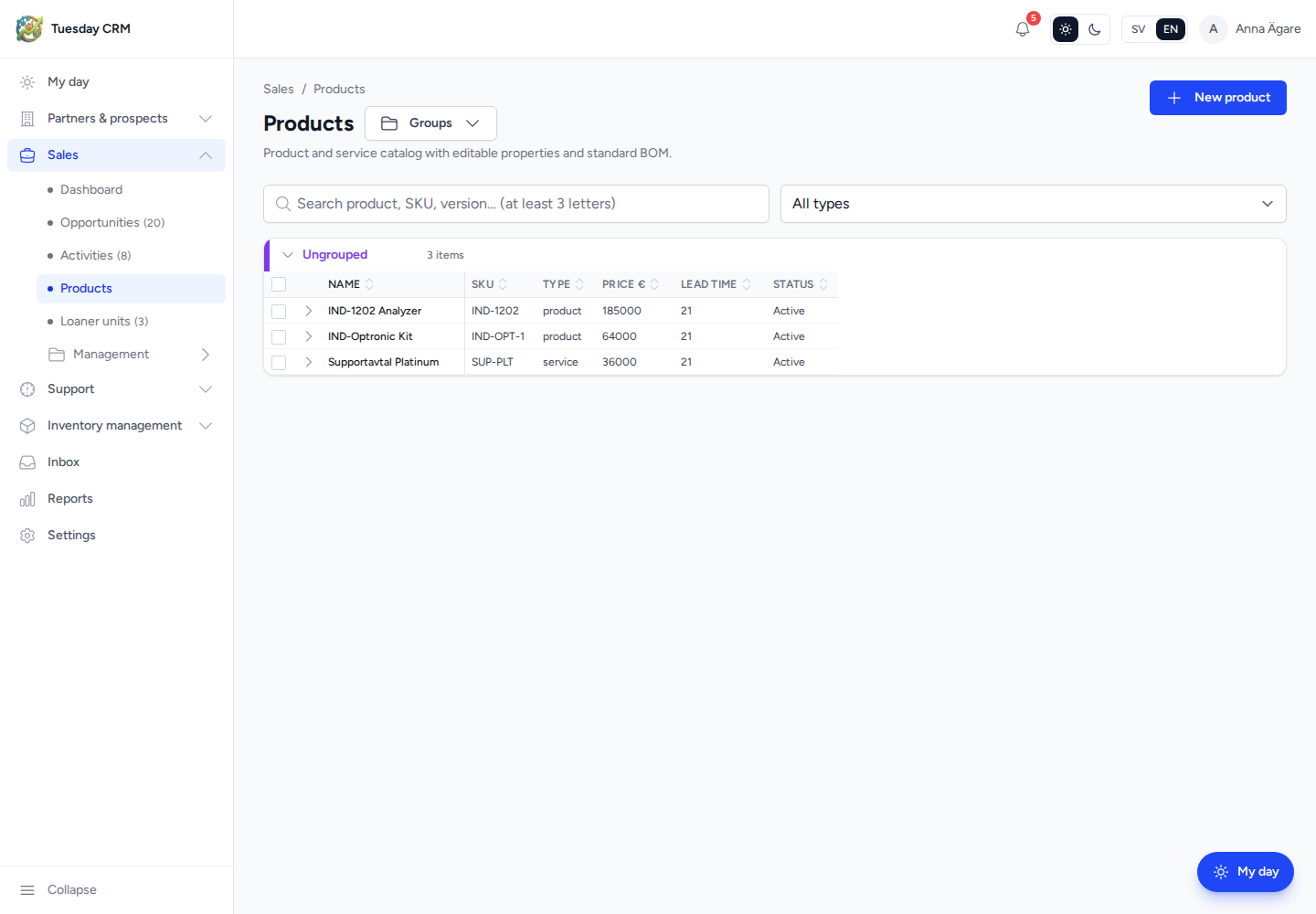
The list
Products is a simpler list than the other tables: it has Groups but no Views, Columns, Alerts, or Export.
- Search (Search product, SKU, version…) from 3 letters.
- All types: show only Product or only Service.
- Columns: Name, SKU, Type, Price €, Lead time (days), and Status (Active or Inactive).
Create or edit a product
Click New product, or › on a row, to open the product editor. It has Updates, Details, and Files tabs.
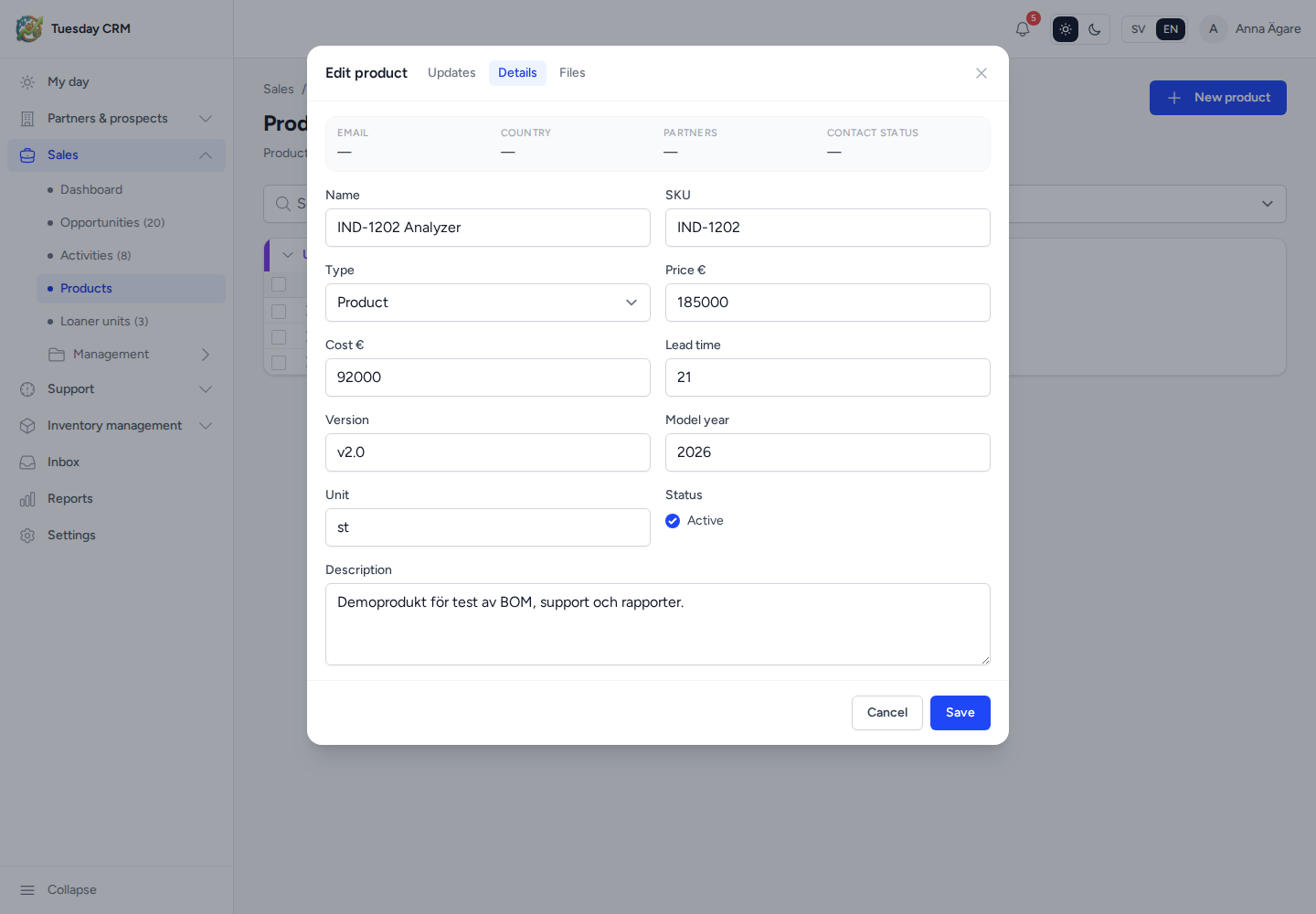
The Details tab has these fields:
| Field | What to enter |
|---|---|
| Name | The product name, for example IND-1202 Analyzer |
| SKU | Your article number |
| Type | Product (a physical item) or Service (for example a support agreement) |
| Price € | List price per unit |
| Cost € | Your cost per unit. Used for BOM cost and margin. |
| Lead time | Delivery time in days |
| Version | Hardware or software version, for example v2.0 |
| Model year | For example 2026 |
| Unit | The unit of sale, for example st (pieces) or h (hours) |
| Status | Tick Active to make the product available. Untick it for products you no longer sell; they stay on old deals. |
| Description | Free text |
Click Save. Use Files for datasheets and price lists, and Updates for notes about the product.
Standard BOM
A product can have a standard BOM: the lines that make up a typical delivery of that product (the instrument, accessories, software libraries, training, and so on). These lines are copied to the deal when you choose this product as a template.
On an opportunity's BOM tab, pick the product under Product template and click Copy product template. The deal's BOM is then replaced with the product's standard lines, and you adjust quantities and prices for that deal. See Opportunities → BOM.
Partners and products
Partner users can see the catalog but not change it: Products are read-only for partners. You can view them but not edit.
Next: Loaner units.